
Link Odoo data
You can insert and link several elements from your database in your spreadsheets, namely:
- pivots,
- graphs,
- lists, and
- links to menus (i.e., a clickable link to a view of a specific model).
Before inserting pivots, graphs, or lists, ensure they are tailored to your needs, as some elements are more quickly - or only - configurable in their respective view.
- To insert pivots and graphs, click Insert in spreadsheet from any pivot or graph view.
- To insert lists, click Favorites -> Insert list in spreadsheet from any list view.
- To insert links to menus, click Favorites -> Link menu in spreadsheet from any view.
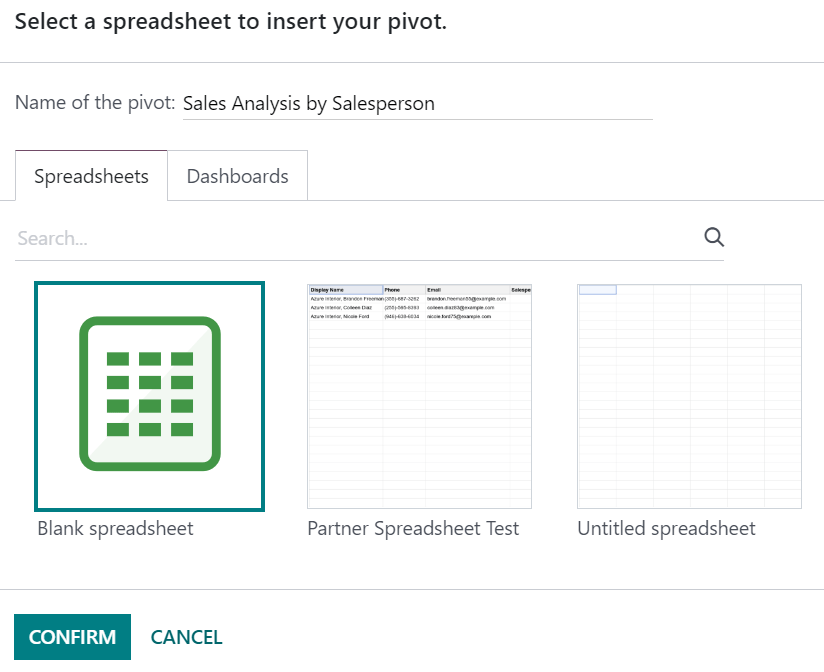
In the pop-up box, either create a new spreadsheet by selecting Blank spreadsheet or insert it in an existing one by selecting it and clicking Confirm.
Updating data
Once inserted in a spreadsheet, your data is kept up-to-date, reflecting any changes made to your database. Reopening the spreadsheet reloads the linked data.
Pivot data
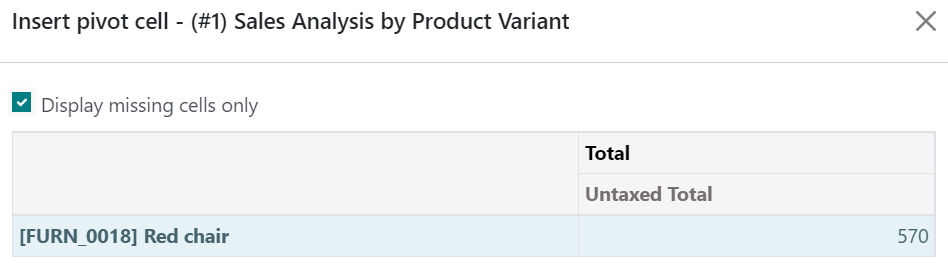
Using Refresh all data only updates existing pivot cells. If new cells need to be added, go to the menu bar and click Data -> Re-insert pivot to fully update the pivot. Alternatively, click Insert pivot, select the pivot, and tick Display missing cells only to preview first the missing data.
To change which records are used by the pivot, right-click on a pivot cell, select See pivot properties, and click Edit domain.