
Fiscal positions (tax and account mapping)
Fluxo padrão do Odoo. Consulte também o procedimento KMEE para os módulos brasileiros.
Default taxes and accounts are set on products and customers to create new transactions on the fly. However, depending on the customers' and providers' localization and business type, using different taxes and accounts for a transaction might be necessary.
Fiscal positions allow the creation of rules to adapt the taxes and accounts used for a transaction automatically.
They can be applied automatically, manually, or assigned to a partner.
Configuração
Tax and account mapping
To edit or create a fiscal position, go to Accounting -> Configuration -> Fiscal Positions, and open the entry to modify or click on New.
The mapping of taxes and accounts is based on the default taxes and accounts defined in the product form.
- To map to another tax or account, fill out the right column (Tax to Apply/ Account to Use Instead).
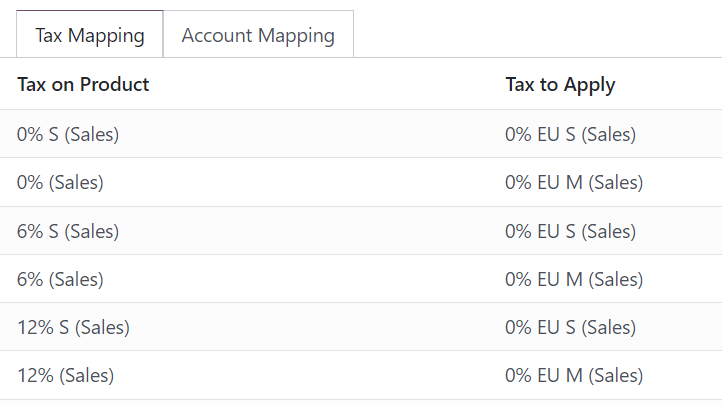
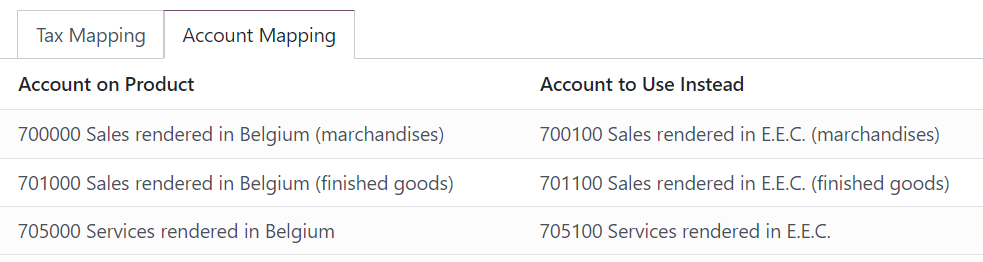
- To remove a tax, leave the field Tax to Apply empty.
- To replace a tax with several other taxes, add multiple lines using the same Tax on Product.
Aplicação
Automatic application
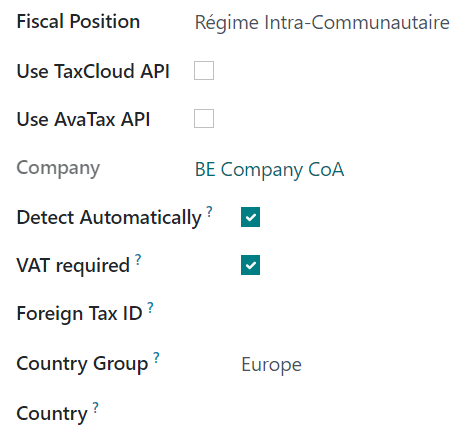
To automatically apply a fiscal position following a set of conditions, go to Accounting -> Configuration -> Fiscal Positions, open the fiscal position to modify, and tick Detect Automatically.
From there, several conditions can be activated:
- VAT Required: the customer's VAT number must be present on their contact form.
- Country Group and Country: the fiscal position is only applied to the selected country or country group.
Manual application
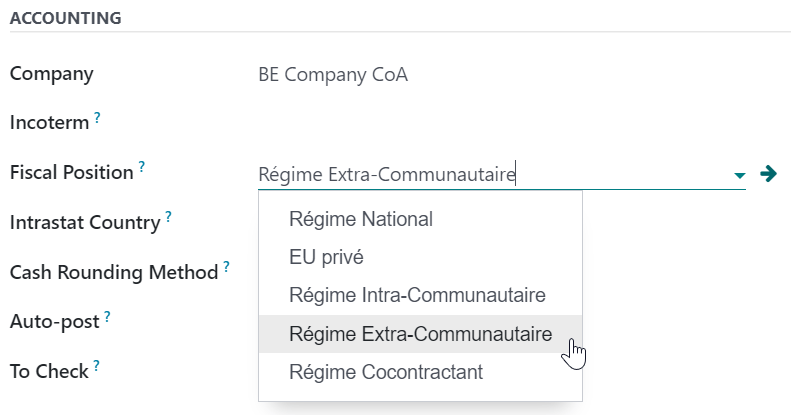
To manually select a fiscal position, open a sales order, invoice, or bill, go to the Other Info tab and select the desired Fiscal Position before adding product lines.
Assign to a partner
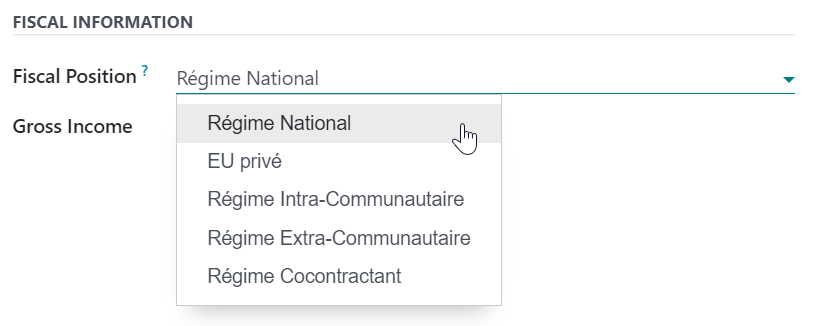
To define which fiscal position must be used by default for a specific partner, go to Accounting -> Customers -> Customers, select the partner, open the Sales & Purchase tab, and select the Fiscal Position.
Veja também
- Impostos
- TaxCloud integration (decommissioning TaxCloud integration in Odoo 17+)
- B2B (tax excluded) and B2C (tax included) pricing