
Enrich contacts with partner autocomplete
Partner autocomplete enriches the contacts database with corporate data. In any module, enter the new company name into the Customer field (partner_id technical field), and select one of the companies suggested in the drop-down menu. Instantly get valuable company information full of hard-to-find data for a desired company.
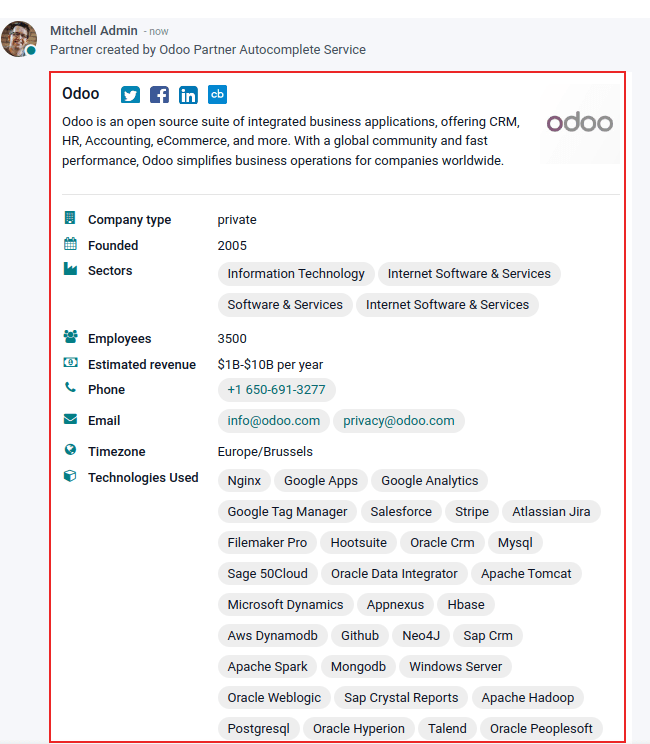
The information provided by partner autocomplete can include general information about the business (including full business name and logo), social media accounts, Company type, Founded information, Sectors information, the number of Employees, Estimated revenue, Phone number, Timezone, and Technologies Used.
Configuration
Go to Settings app -> Contacts section. Then, activate the Partner Autocomplete feature, by ticking the checkbox beside it, and clicking Save.
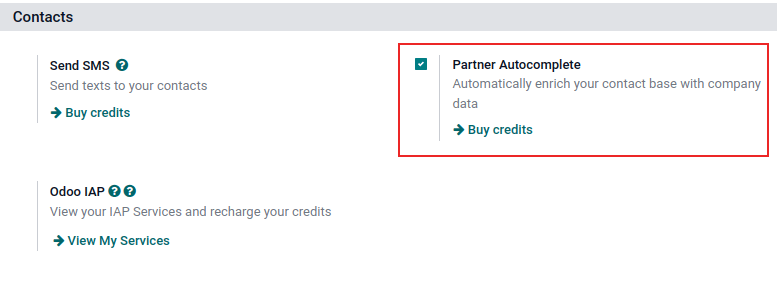
Enrich contacts with corporate data
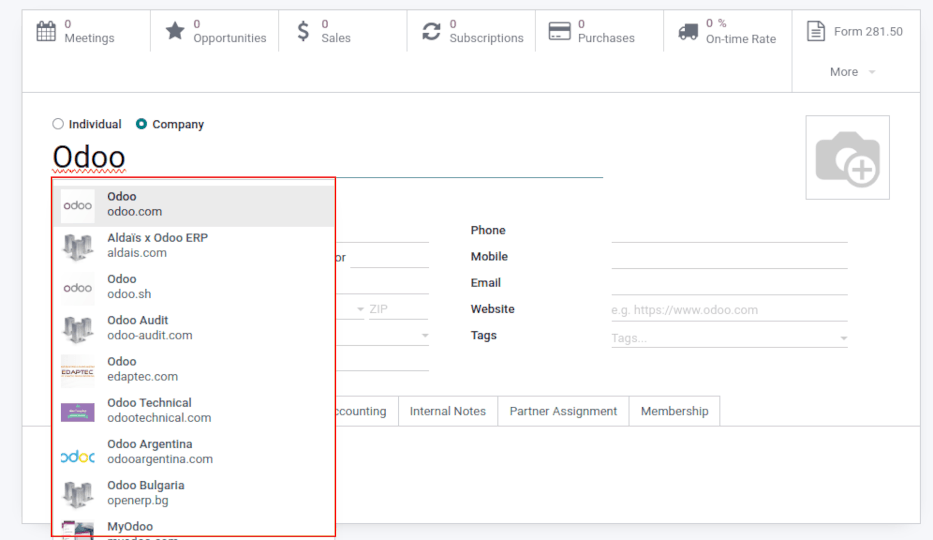
From any module, as the user is typing in the name of a new company contact, Odoo reveals a large drop-down menu of potential match suggestions. If any are selected, the contact is then populated with corporate data related to that specific selection.
For example, after typing Odoo, the following information populates:
In the chatter, the following information populates about the company, after clicking on the desired pre-populated contact:
Pricing
Partner Autocomplete is an In-App Purchase (IAP) service, which requires prepaid credits to be used. Each request consumes one credit.
To buy credits, go to Settings app -> Contacts section. Then, locate either the Partner Autocomplete feature and click Buy credits, or locate the Odoo IAP feature and click View My Services. From the resulting page, select a desired package.
See also