Developer mode (debug mode)
The developer mode, also known as debug mode, unlocks access to advanced tools and settings in Odoo.
Activation
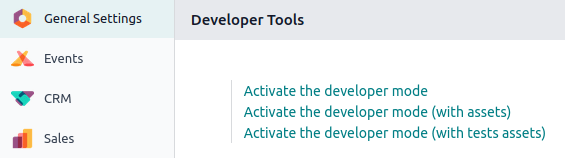
To activate it, open the Settings app, scroll down to the Developer Tools section, and click Activate the developer mode.
Once activated, the Deactivate the developer mode option becomes available.
To activate the developer mode from anywhere in the database, add ?debug=1 to the URL after /web (e.g., https://example.odoo.com/web?debug=1#action=menu&cids=1). To deactivate it, use ?debug=0 instead.
Use ?debug=assets to activate the developer mode with assets and ?debug=tests to activate it with tests assets.
Developer tools and technical menu
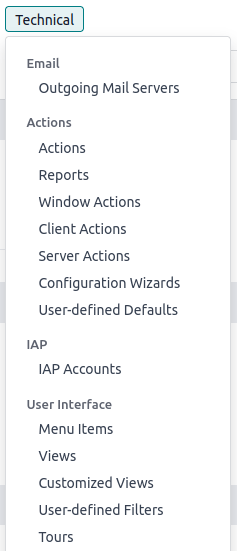
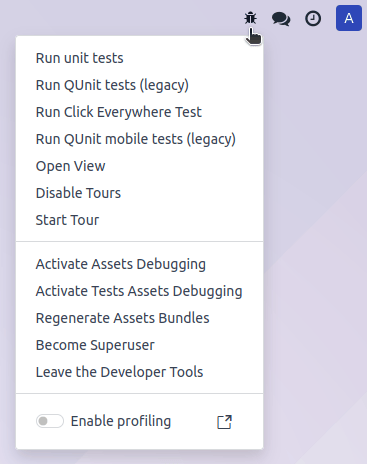
Once the developer mode is activated, the developer tools can be accessed by clicking the (bug) icon. The menu contains tools useful for understanding or editing technical data, such as a view's field, filters, or actions. The options available depend on where the menu is accessed from.
Database administrators can access the technical menu from the Settings app. It contains advanced database settings, such as ones related to the database structure, security, actions, etc.