
Apps and modules
You can install, upgrade and uninstall all apps and modules from the Apps dashboard.
By default, an Apps filter is applied. If you want to search for modules, click on Filters and select Extra.
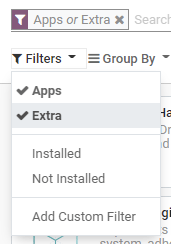
Install apps and modules
Go to Apps, and click on the Install button of the app you want to install.
Upgrade apps and modules
On some occasions, new improvements or app features are added to supported versions of Odoo. To be able to use them, you must upgrade your app.
Go to Apps, click on the dropdown menu of the app you want to upgrade, then on Upgrade.
Uninstall apps and modules
Go to Apps, click on the dropdown menu of the app you want to uninstall, then on Uninstall.
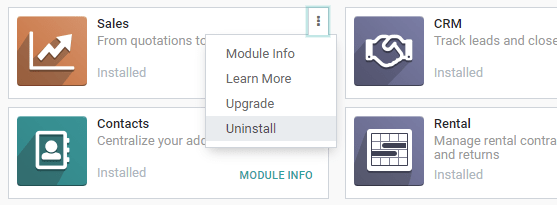
Some apps have dependencies, meaning that one app requires another. Therefore, uninstalling one app may uninstall multiple apps and modules. Odoo warns you which dependent apps and modules are affected by it.
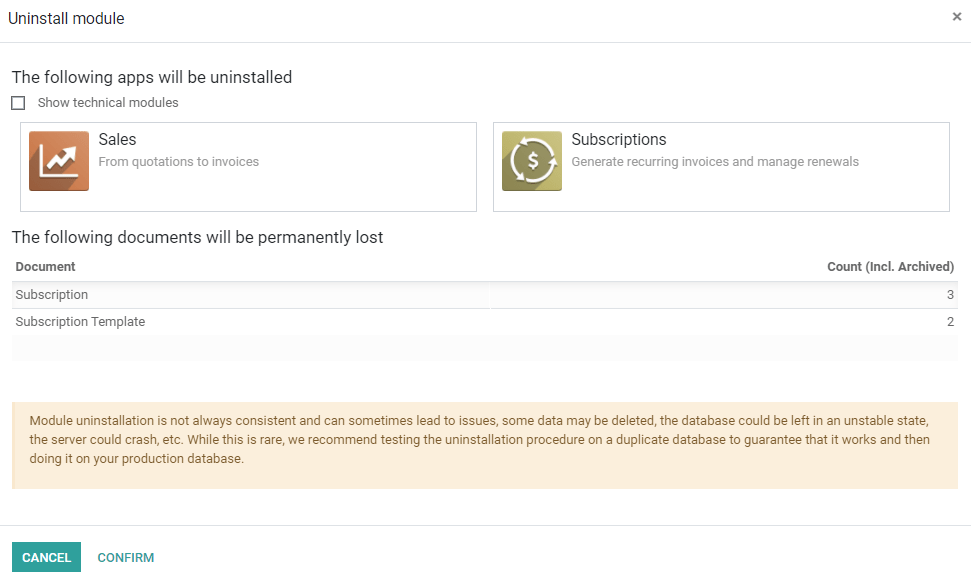
To complete the uninstallation, click on Confirm.